


 Download for Mac
Connect any tool
Sign in to your apps once and Dashie reads exactly what it needs. Spreadsheets and files on your Mac work too, and teams can plug in their own internal tools.

 Meet Dashie, your dashboard agent
Describe what you want to see. Dashie connects to your apps, builds the dashboard, and refreshes it on any schedule, right on your Mac.
Free to start · macOS 13 or later · Apple silicon and Intel





You describe the dashboard in plain words.
Connects to the tools you already use, plus 1,600 more
“Build me a dashboard of all the hurricanes that have happened in the last three years.” This is what Dashie made.
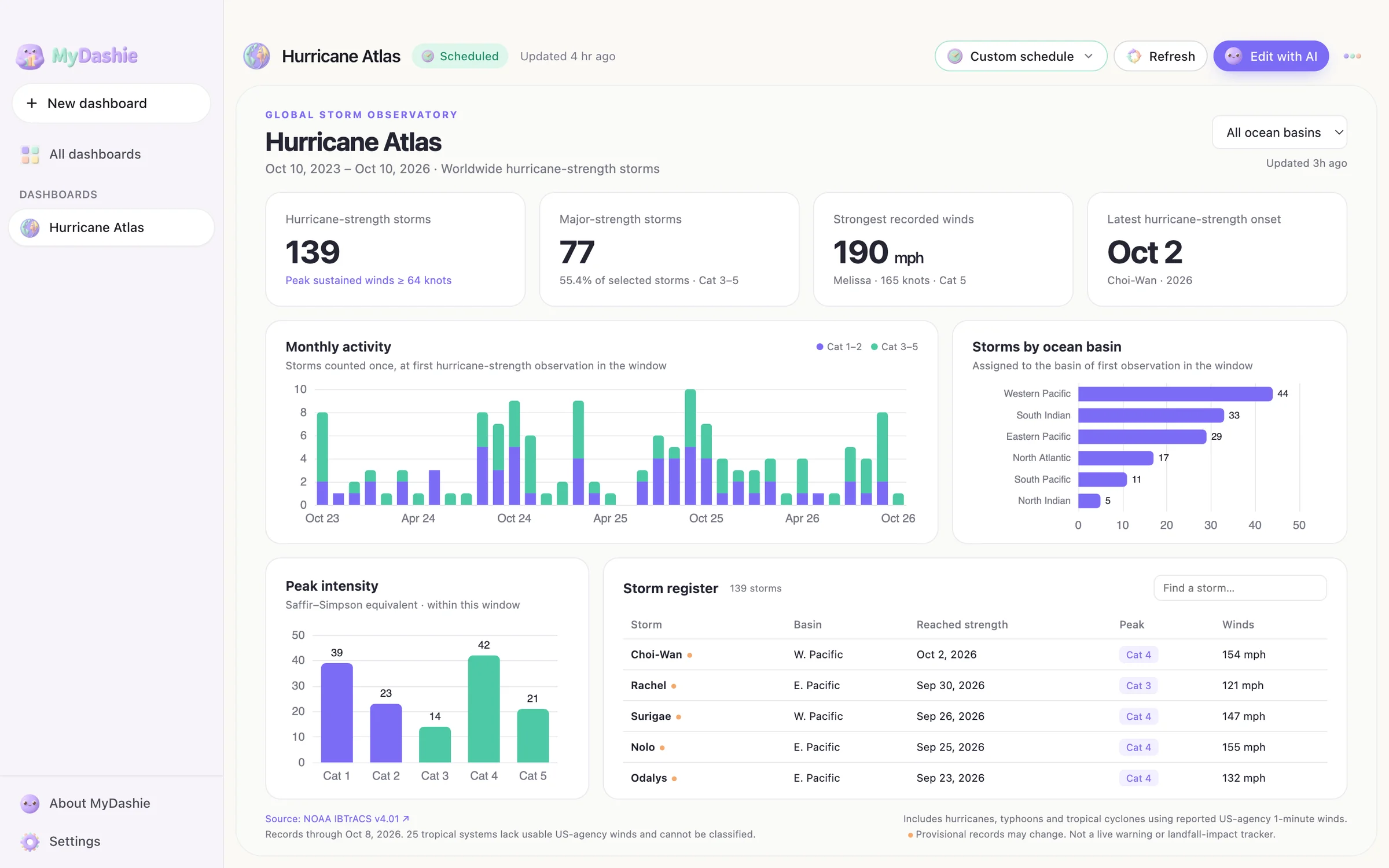
No queries, no spreadsheets, no waiting on a data team.
“Stripe revenue by plan, compared to last month.” Mention the apps or files the data lives in.

Dashie pulls the data, shapes it, designs a one-screen dashboard, and checks its own work before you see it.

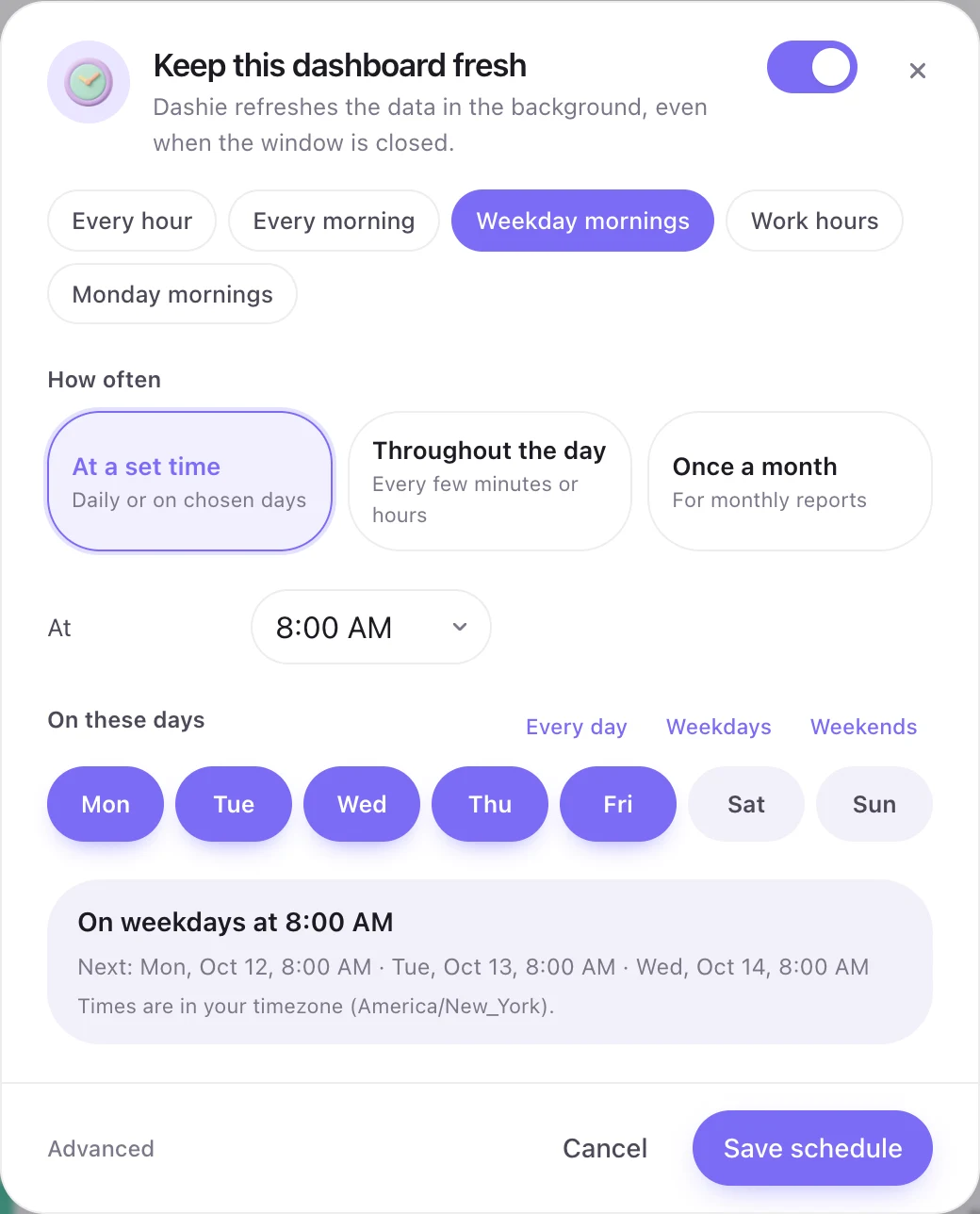
Pick a schedule once. MyDashie refreshes from your menu bar, even with the window closed.

Sign in to your apps once and Dashie reads exactly what it needs. Spreadsheets and files on your Mac work too, and teams can plug in their own internal tools.
Your dashboards, data and schedules live on your Mac. Only what Dashie needs to read is sent to the AI and your apps, and nothing is stored on our servers.

Every 15 minutes, weekday mornings, or the first of the month. If a refresh hits a snag, Dashie fixes it and only taps you when it needs a hand.
A calm progress card shows each step as it happens: plan, gather, shape, design, check. Open it anytime to see exactly what was done.

Your whole reporting library, one click away. Change any dashboard with a sentence: “make revenue a line,” “add top customers,” “use the last 90 days.” Save it as a file or open it in your browser to share.




Building great dashboards and connecting to your data. Every chart follows proven design rules: the headline numbers first, each compared to the last period, then trends, then the detail. Colors are checked for color-blind readers, and every chart flips to a table.
Pay for what Dashie builds. Scheduled refreshes are always included.
Try Dashie on your own data.
For people who report every week.
For teams who live in their numbers.
Need more? Add 25 actions for $10, anytime. They never expire.
An action is one request to Dashie: building a new dashboard or changing an existing one. Scheduled refreshes don't use actions, because they replay the saved data steps without AI. Need more? Add 25 actions for $10 anytime; they never expire.
On your Mac. Dashboards, the data they show, and your schedules are stored locally. Only the request you type and the data Dashie needs to read are sent to the AI and the apps you connect, and nothing is kept on our servers.
More than 1,600, including Stripe, HubSpot, Salesforce, Google Sheets, Notion, Granola, Slack, Linear and Shopify. Spreadsheets, CSV and SQLite files on your Mac work too, and teams can plug in their own internal tools.
Yes. MyDashie lives in your menu bar and refreshes on whatever schedule you pick: every 15 minutes, weekday mornings, the first of the month. If a refresh hits a snag, Dashie fixes it and only taps you if it needs a hand.
Save any dashboard as a single HTML file that opens in any browser, or open it in your browser straight from the app.
MyDashie is Mac-only for now, built for macOS 13 and later on Apple silicon and Intel. Windows is on the roadmap.
Download MyDashie, tell Dashie what you need, and get back to the work that matters.
